Five methods
How to download a website
Five ways to do it, ordered from least effort to most, and the situation each one fits.
Start by deciding which copy you want
There are two different jobs hiding inside this question, and the tools do not overlap much.
The first is downloading a site that is live right now. You want today’s version of a page or a whole site as files on your machine. The first four methods all do some version of this.
The second is downloading a site that is gone. The pages gave way to a parking page, a 404, or a completely different site. Nothing live can be copied, so the only copy is whatever a web archive captured. Only the fifth method works here.
A tool built for a live site returns nothing useful for a dead one.
Answer that question first, then pick your method from the list.
Save a single page from your browser
Every desktop browser will save the page you are looking at, and the whole job takes three keystrokes and a click.
- Open the page you want to keep and let it finish loading, including anything that appears as you scroll.
- Press Ctrl+S on Windows or Cmd+S on a Mac. In the save dialog, choose “Webpage, Complete”.
- Open the saved HTML file before you close the tab. The browser wrote the page plus a folder of images, stylesheets and scripts, and one look tells you whether it all came along.
This works well for one page and stops being useful past that. It saves only the page you are on, so a 50 page site means 50 saves. Anything the page builds after load with JavaScript may not come back. Anything behind a login is saved as it appeared to you and often will not render later.
Use it when you want one article, one recipe, one receipt.
Use a browser extension
Extensions sit between saving by hand and running a real tool. You install one, then click its icon on any page you want kept. Most save a single page into one file, which is tidier than the folder of loose assets the browser’s own save produces.
They are the right answer when you are saving pages regularly but one at a time: research, receipts, articles you want to keep. They do not crawl, so they will not give you a whole site.
Check what an extension asks for before you install it. Anything that saves pages needs to read the pages you are on, which is a broad permission to hand out.
Use a site downloader
A site downloader takes a URL, follows the links from it, and gives you the pages back as files. The good ones rewrite links so the copy browses offline: click a nav item in the saved version and it opens the saved page instead of reaching for the live internet.
Browser based downloaders need no install. Paste a URL, wait, download the result. They suit small and mid sized sites.
Desktop tools handle bigger jobs. HTTrack is the long running free option and has been around since the 1990s. It gives you depth limits, file type filters and bandwidth controls, which start to matter once a site runs past a few hundred pages.
Watch the depth setting whichever you use. Depth 1 gets the page and what it links to. Leave it unbounded on a large site and you will still be downloading tomorrow.
Mirror the site with wget
If you are comfortable in a terminal, wget does this in one line:
wget --mirror --convert-links --adjust-extension \
     --page-requisites --no-parent https://example.com
Test with one page before you launch it at a whole domain: run it against a single URL without --mirror and open what comes back.
--mirror follows links and keeps timestamps. --convert-links rewrites URLs so the copy works offline. --page-requisites pulls the images, CSS and scripts each page needs. --no-parent stops it climbing above the directory you pointed at.
It is fast, scriptable and free. It does not run JavaScript, so a site that renders its content client side comes back nearly empty.
Restore the site from a web archive
When the site is already gone, none of the first four methods have anything to copy. What may still exist is a snapshot in the Internet Archive’s Wayback Machine, which stores dated copies of public pages.
You can browse those snapshots by hand at any time. Pulling a whole site out of them page by page is the part that does not scale, and it is why archive restore tools exist.
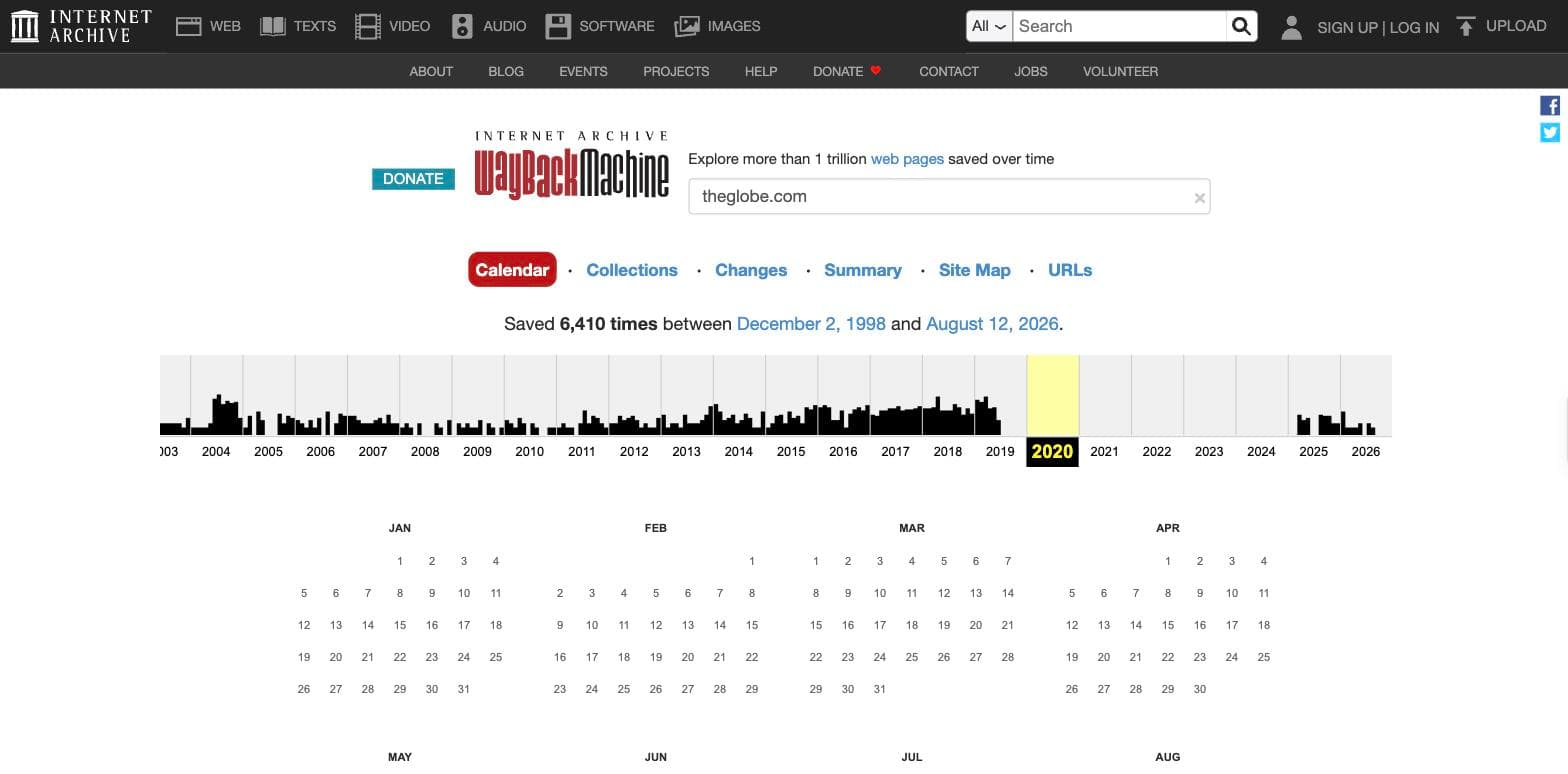
Coverage sets the ceiling here. The Archive holds what its crawler happened to capture. Popular sites have deep histories. Small sites often have a handful of snapshots, and some pages were never captured at all. No tool returns more than what was saved.
Put the five methods side by side
The last column is the one to read first. Once a site is offline, four of the five methods have nothing left to copy.
| Method | What you get | Install | Whole site | Site already gone |
|---|---|---|---|---|
| Browser save | One page as HTML plus a folder of assets | None | No | No |
| Browser extension | One page per click, usually as a single file | The extension | No | No |
| Site downloader | A browsable offline copy with rewritten links | None for the browser versions | Yes | No |
| wget or HTTrack | A mirrored folder tree on your machine | Yes | Yes | No |
| Archive restore | The archived pages as working HTML, CSS and assets | None | Yes | Yes |
Two problems cause most failed downloads
Some sites render their content in JavaScript. If a site builds its pages in the browser after load, simple downloaders save the empty shell. Open a saved page before you assume the job worked.
Check whether you are allowed to. Downloading a public page for your own reading is ordinary. Republishing someone’s content, or copying a site wholesale to relaunch it as your own, is a different question with copyright attached. Check before you publish.
Questions people ask
How do I download an entire website, not just one page?
Use a site downloader, wget --mirror, or HTTrack. Saving from the browser handles one page at a time.
Can I download an entire website for free?
Yes. wget and HTTrack are free and handle whole sites. What they cost is attention: you install them, set the limits, and check the result yourself.
Can I download a website that no longer exists?
Only from an archive. If the Wayback Machine captured it, those snapshots can be restored. If nothing captured it, there is nothing to recover.
Is downloading a website legal?
Saving public pages for personal use is ordinary. Republishing them is a copyright question, and the method you used does not change that.
Why does my downloaded site look broken?
Usually the CSS and assets did not come with it, or the site renders its content in JavaScript. Re-run with page requisites enabled, and check whether the content exists in the raw HTML.