Archived video
Finding a deleted YouTube video
What survives a deletion, how to search from an ID, and how to tell early whether it is worth continuing.
Start with the honest answer
Whether it can be recovered was decided before you started looking.
Whether a deleted video can be recovered was decided before you started looking. Either somebody archived it while it was up, or nobody did. Nothing you do now changes which of those is true.
That sounds discouraging and is actually useful, because it tells you what to spend your time on. You are not looking for a tool that can recover the video. You are searching a fixed set of archives to find out whether it is in one.
What survives a deletion
- The video ID
- Eleven characters, never reissued to another video. It is the key to every search that follows, and it survives anywhere the link was ever written down.
- The watch page, sometimes
- If a web archive captured the page while the video was live, the title, channel, description and upload date are still readable even though the player is dead.
- Playlist entries
- A playlist that contained the video often still shows a greyed row where it used to be, and sometimes still carries the original title.
- Embeds elsewhere
- Any blog post or forum thread that embedded the video hardcoded the ID into its own HTML. Those pages are frequently archived even when the video was not.
- Reuploads
- The most common successful outcome by a wide margin. Popular videos get mirrored, and the mirror outlives the original.
The search, in order
- Recover the ID. From the old link, your history, a playlist, or a page that embedded it. Everything else depends on this.
- Check the archived watch page. Rebuild the canonical watch URL from the ID and look for it in a web archive. If you find one, you have the title and channel, which is the real prize.
- Search the exact title. In quotes. Reuploads keep titles far more reliably than they keep IDs.
- Search the ID as a plain string. Forum posts, comment threads and link aggregators that referenced the video will surface, and those threads often name a mirror.
- Check the community archives. Preservation projects have pulled down whole at-risk channels for years, and some of that material sits in public collections searchable by channel or ID. The tools in the next section search several of them from one place.
- Decide when to stop. If the ID returns nothing across the archives and no page ever embedded it, the video was small enough that nobody kept it. That is an answer, and it is better to have it in twenty minutes than after a weekend.
$ query the archive index for one video ID
  url=youtube.com/watch?v=jNQXAC9IVRw

[["timestamp","statuscode"],
 ["20061212233102","200"],
 ["20061224024958","200"],
 ["20070101182848","200"],
 ["20070106101129","200"],
 ["20070111052101","200"]]
Every row is a date the watch page was captured. Rows mean there is something to read. No rows means nobody archived it, and that is the answer.
Four tools run most of this search for you
The pages that answer this question well are community tools rather than articles, and each one automates a different step above. What follows comes from each tool’s own pages, checked on .
| Tool | You need | What it searches |
|---|---|---|
| YouTube Video Finder | The link or the video ID | Several archive services in one query. Its own page names the Wayback Machine, PreserveTube and Filmot among them, and it reports per service whether the video was found, with the title, description and thumbnail where they survive |
| Archivarix Tube Search | A link, a channel, or words you remember | Its own page calls it a search engine for deleted, removed and unavailable YouTube videos, querying the Wayback Machine, Common Crawl and other web archives across titles, descriptions and subtitle transcripts |
| Filmot | Words spoken in the video | YouTube subtitles, captions and transcripts, plus title and channel search over its metadata index |
| Ghostarchive | The exact watch URL | Its own archive of submitted pages, searchable by exact URL, and its search examples include an exact YouTube watch URL |

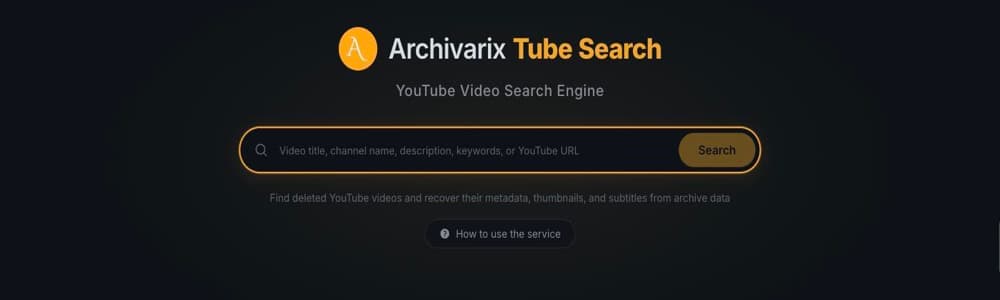

YouTube Video Finder says plainly on its own page that it cannot help without the link, which matches step one above: recover the ID first. If the ID is gone too, Filmot and Tube Search are the two that can still work, because they accept a title, a channel, or a remembered phrase.
These are community services, and this field loses services quietly. Our page on Wayback Machine alternatives documents several commonly recommended services that are winding down or unreachable. Open a tool and run one search before you plan an evening around it.
What raises the odds
Age helps. A video from 2012 has had a decade of crawlers passing over pages that linked to it. One deleted a month after upload has had almost none.
Attention helps more. Something that was discussed, embedded or argued about leaves traces in dozens of other people’s pages. Something watched two hundred times leaves almost nothing.
Controversy helps most of all, because people archive things they expect to disappear. Videos taken down in a dispute are among the most reliably preserved on the internet.
What will not work
Private videos are not recoverable. They were never publicly fetchable, so no crawler ever saw one.
Videos removed for a legal claim are usually gone from public archives too, because the same claim reaches the archive.
And any site promising to recover any deleted video on demand is selling something. The archives are public. If a video is in one, you can find it yourself with the steps above.
The same rule governs websites
A dead site works exactly like a dead video. What you can recover is whatever a crawler captured before it went, and no tool returns more than that. The difference is that web pages are far easier to crawl than video streams, so the odds on a whole website are much better.
If it is a site rather than a video, that is what this tool does.
Questions people ask
Can deleted YouTube videos be recovered?
Sometimes. Recovery depends entirely on whether somebody archived the video before it went, so it is a question about the past, not about the tool you use.
How do I find a deleted video if I do not have the link?
Work from whatever you do have. A playlist that contained it, a page that embedded it, your own watch history, or a search of the channel in a web archive. The goal is to recover the eleven-character video ID.
Can I recover a private or unlisted video?
Almost never. Unlisted videos were reachable by anyone with the link, so a few were archived. Private videos were never publicly fetchable, so no archive has them.
What if I only remember something said in the video?
Search the phrase in a subtitle index. Filmot searches within YouTube subtitles, captions and transcripts, and Archivarix Tube Search queries subtitle transcripts alongside titles and descriptions. A distinctive spoken phrase can surface the video ID when nothing else survives.
Does the deleted video's title still exist somewhere?
Often, yes. Titles survive in archived watch pages, in playlists that still list the entry, and in pages that embedded the video. The title is usually the key that finds a reupload.
Have a link that still resolves but will not play? The Wayback Machine and YouTube explains why.