Archived video
The Wayback Machine and YouTube
It archives the page. It rarely archives the video. Knowing the difference saves a lot of wasted searching.
Why the video will not play
The Archive keeps the page. It almost never keeps the video.
Almost every page on the subject skips this, which is why people arrive frustrated.
The Wayback Machine archives web pages. A YouTube watch page is a web page, so snapshots of it exist: the title, the channel name, the description, the view count on the day it was captured, sometimes the whole comment thread.
The video itself is not in that page. It streams from YouTube’s own media servers, requested by the player after the page loads, in chunks, from a different address. A crawler saving the HTML has no reason to follow that and generally does not.
So an archived watch page gives you everything that surrounds the video. When you open one and the player sits there dead, the archive worked exactly as designed.
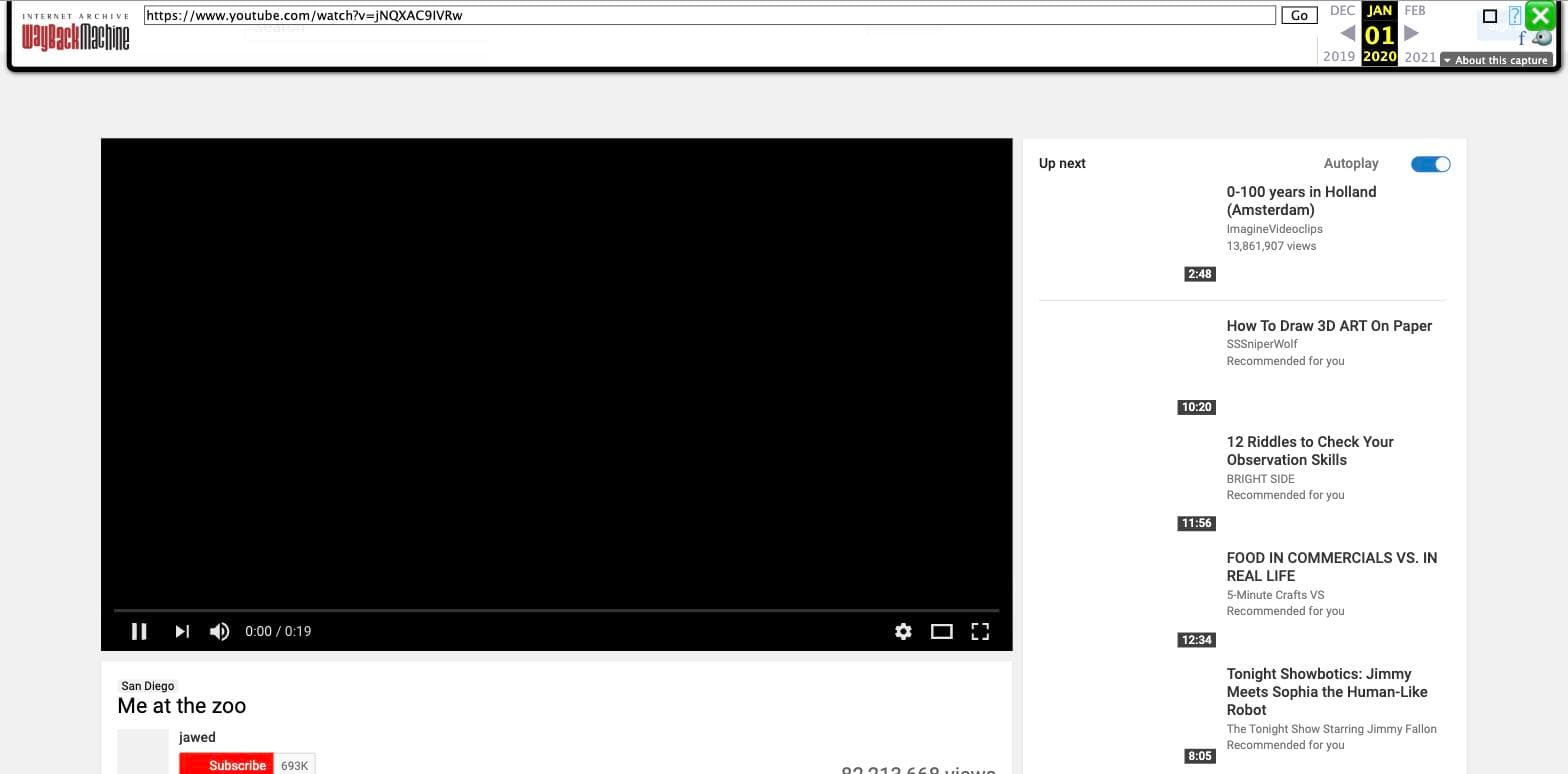
A snapshot holds more than the dead player suggests
A dead player usually still leaves you exactly what you need to go looking. Here is what tends to survive in a capture, and what each piece is good for.
- The title
- Survives in almost every capture. Reuploads keep titles far more often than they keep IDs, so an exact-phrase search on the title is the fastest route to a mirror.
- The channel name
- Survives. Uploaders who lose a video often repost it, and people who archive a channel tend to archive all of it.
- The description
- Survives, and sometimes carries a direct link to a mirror, a personal site, or another platform.
- The upload date and view count
- Survive as they stood on the day of the capture.
- The comments
- These appear on some captures, and readers occasionally name a reupload in them.
- The video stream
- Almost never survives. The crawler saves the page and has no reason to request the stream behind it.
Finding an archived watch page
- Get the video ID. The eleven characters after
watch?v=in the original link. If all you have is ayoutu.beshort link, the ID is the part after the slash. - Rebuild the canonical URL.
https://www.youtube.com/watch?v=followed by the ID. - Search the Wayback Machine for that exact URL. Skip the channel page and YouTube’s search pages, and go straight to the specific watch URL.
- Try the variants. Snapshots get filed under the URL form the crawler happened to visit, so one video can hide under several addresses.
- Read what came back and take the title, channel and date to a reupload search.
https://www.youtube.com/watch?v=VIDEO_ID
http://www.youtube.com/watch?v=VIDEO_ID
https://youtube.com/watch?v=VIDEO_ID
https://m.youtube.com/watch?v=VIDEO_ID
https://youtu.be/VIDEO_ID
Swap in the eleven-character VIDEO_ID and check each form. A miss on one address does not rule out the others.
Where archived videos actually live
Video files that survive tend to be somewhere other than the web-page archive. Community preservation projects have spent years pulling at-risk channels down, and some of that work ends up in the Internet Archive as its own collection, separate from the Wayback Machine.
That is a different search from the one above, and it works on different inputs: channel names and video IDs rather than page URLs. Finding deleted YouTube videos covers that case.
What this has to do with restoring a website
The same rule governs both. An archive holds what its crawler could reach, and a crawler reaches pages far more easily than it reaches media streams. That is why a restored site comes back with its HTML, CSS and images intact while embedded video comes back as an empty frame.
If it is a whole site you are trying to recover rather than one video, that is what this tool does.
Questions people ask
Does the Wayback Machine store YouTube videos?
It stores the watch page. The video file is served separately from YouTube's media infrastructure and is not part of the HTML, so a crawler that saves the page usually does not save the video.
I found the archived page but it will not play. Why?
That is the normal outcome. You are looking at a saved copy of the page furniture, and the player on it is still asking YouTube for a video that YouTube has removed.
What can I get from an archived watch page?
Usually the title, the channel, the description, the upload date, the view count as of that capture, and sometimes the comments. That is often enough to find a reupload.
How do I search the Wayback Machine for a specific video?
Rebuild the canonical watch URL from the eleven-character video ID and search for that exact URL. Snapshots get stored under URL variants, so try the bare ID too.