Live sites
Site downloader
Give it a URL. Get the site back as files, with the links rewritten so the copy browses on your machine.
The archive side already runs. The check below reads the Internet Archive’s index for any domain, free, and tells you what a restore would have to work with.
Last capture before the gap:
Five years with nothing. Everything after that date is gone unless somebody else kept it.
The example is theglobe.com, read live from the Internet Archive’s index. A domain that stopped answering in 2019 can still come back from these captures.
Pick the site downloader that fits the job
Five ways to get a live website onto your own disk, and the one that applies when the site is already gone. The right site downloader depends on how much of the site you need and whether you will install anything.
| Method | What it copies | Install | Where it stops |
|---|---|---|---|
| Browser save | One page, as HTML plus a folder of assets | None | One page at a time |
| SingleFile extension | One page, as a single self-contained HTML file | Browser extension | Does not follow links |
| Cloud website downloader | A copied website, links rewritten, as a ZIP | None | Page limits and JavaScript-heavy sites |
| HTTrack desktop site downloader | Complete websites, with depth and filter control | Desktop program | No JavaScript execution |
| wget on the command line | Complete websites, scriptable and fast | Terminal | No JavaScript execution |
| Wayback Machine downloader | Pages of a dead site, out of the archive | None | Only what the archive captured |
The first five all need the site to be live. Read the last row again if the site you want is already offline: no website downloader can crawl a server that no longer answers, and the copied website has to come out of an archive instead.
What a site downloader actually does
A copied website is a photograph of what the server sent.
A site downloader takes a URL, requests that page, reads the links out of it, and follows them. Every page the site downloader reaches is written to disk with the images, stylesheets and scripts that page needs to render.
What separates a useful copied website from junk is link rewriting. In the original HTML every link points at the live web. A good website downloader points them at the file next to it, so the saved page opens locally.
Site downloader depth is the setting people get wrong
Depth 1 saves the page you named and the pages it links to. Depth 2 adds everything those pages link to. On a blog with pagination and tag pages, depth 3 points a website downloader at tens of thousands of URLs, most of them near-duplicates.
Start a site downloader at depth 1. Look at what came back. Raise it only if something you wanted is missing. That is the difference between a four minute job and one you abandon overnight.
What a website downloader gives back
A site downloader gives you the front end: HTML, CSS, JavaScript files, images, fonts, and whatever else the pages requested over HTTP.
out/kozmo.com/
├── index.html
├── about-us/
│   └── index.html
├── assets/
│   ├── css/
│   ├── fonts/
│   └── images/
├── api/
│   ├── browse/
│   └── products/
└── apple-icon-180x180.png

894 files · 38 MB · 192 images · 383 stylesheets
The original folder structure survives. Open index.html and the site browses.
No website downloader gives you the back end. No database, no server code, no admin panel, no content management system. A copied website is a photograph of the output, and the machine that produced it never leaves the server. If you need the site to keep working as an application, a site downloader is the wrong tool.
Two things go missing quietly: content behind a login, because the site downloader is not signed in, and content that only exists after JavaScript runs.
Website downloader versus desktop site downloader
HTTrack, the desktop website downloader
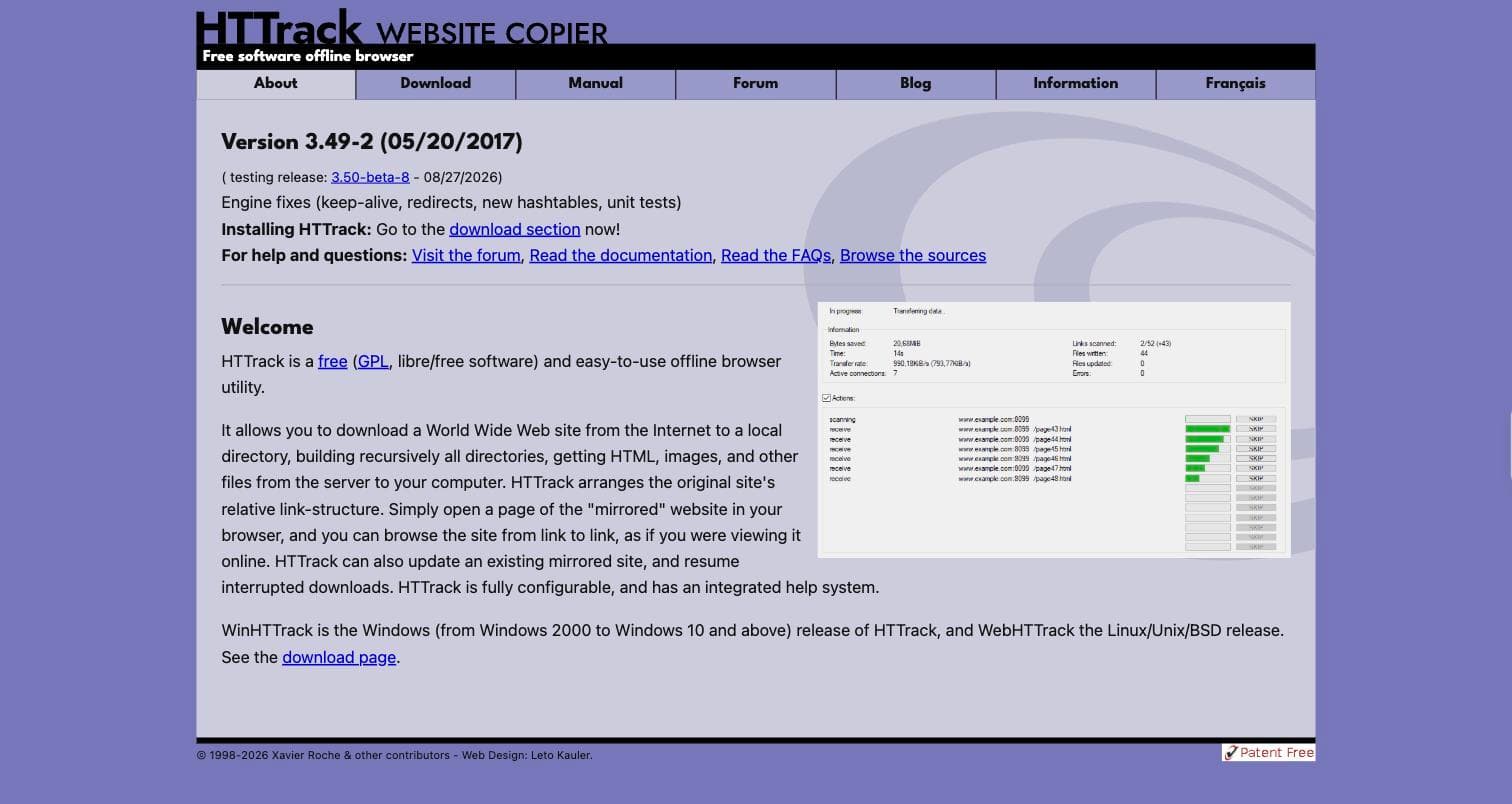
The long-standing free option is HTTrack, a desktop website downloader that has been around since the 1990s. You install it, point it at a URL, and it downloads complete websites to a folder, getting the HTML, images and other files and rewriting the links so the pages browse offline. It gives you depth limits, file-type filters and bandwidth controls, which start to matter past a few hundred pages.
The simple cloud-based website downloader
A browser-based website downloader trades that control for installing nothing. You paste a link and wait. On a small site the result is the same copied website either way.
Neither reaches a site that is already offline. HTTrack crawls what is live, and so does every hosted equivalent. For a site that is gone, the copy has to come out of an archive instead, which is what a wayback machine downloader does. If the job is to download complete websites that are still live, that guide compares every method; if the site is gone, the example of a copied website restored from the archive shows what comes back.
Check the copied website actually works
A site downloader reports success when it finishes writing files, which is not the same as a working copied website. Three checks take a minute and catch almost every failure.
Open a page and click through. If a nav link jumps back to the live site, the website downloader did not rewrite links, and the copied website only works online.
Look for the text you expect in the raw HTML. If the page renders but the words are missing from the file itself, the site was built in JavaScript and the site downloader saved an empty shell.
Count the files. A copied website with far fewer pages than the original usually means crawl depth was too shallow, or the site downloader hit a limit and stopped quietly.
When people reach for a site downloader
You are migrating and want the old version preserved before anything changes. Ordinary caution, and the easiest thing in the world to skip until it is too late.
You need it offline. A conference with bad wifi, a flight, a site you want readable somewhere with no connection.
You are keeping a record. A page said something today and you want it as files rather than a link that may rot.
You are studying how a site is built. Structure, markup and assets, readable at your own pace.
Before you point a site downloader at someone else’s site
Saving public pages for your own use is ordinary. Republishing a copied website, or relaunching it as your own, is a copyright question, and the site downloader you used does not change the answer.
Crawl politely. Keep concurrency low, keep a delay between requests, and back off when the server starts returning errors.
Questions people ask
Will the saved copy work offline?
It should, if the tool rewrote the internal links and saved the page requisites. Open a saved page and click through a few links before you trust it.
How deep should I go?
Start shallow. Depth 1 saves the page you named and what it links to directly. Each extra level multiplies the work, and on a site with pagination or faceted filters an unbounded crawl never finishes.
Can it download a site that needs a login?
Not without your session. Anything behind authentication is invisible to a crawler that is not signed in, and most tools will quietly save the login page instead.
What about sites built in JavaScript?
That is the common failure. If a site assembles its content in the browser after load, a simple downloader saves the empty shell. Check the raw HTML for the text you expect before running a large job.
Can it download a site that is already offline?
Not this way. Nothing live means nothing to crawl. If the site is gone, the copy has to come from a web archive instead.
Weighing up the options? Five methods for downloading a website covers browser save, extensions and the command line alongside this.